
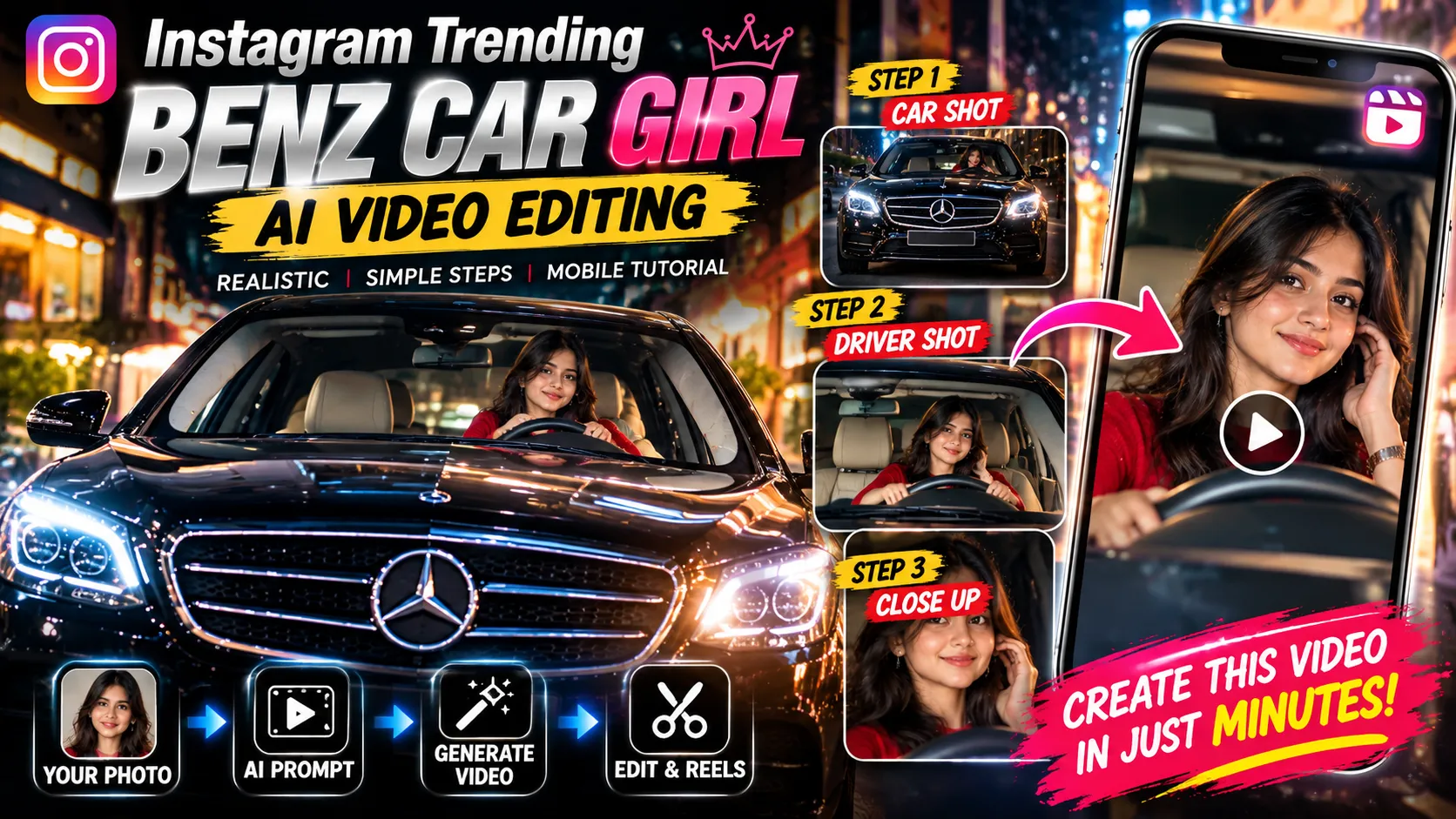

Featured image concept for the Benz car girl AI video editing tutorial.
Instagram Trending Benz Car Girl Video Editing 2026 – Realistic AI Driver Reel Tutorial
Have you come across cinematic car videos in which a woman appears behind the steering wheel of a luxury Mercedes-Benz, smiles naturally at the camera, and looks as though she is part of a professionally filmed automotive scene?
This tutorial explores how to create a similar visual concept using AI video generation, a character reference photo, and carefully planned camera shots.
Instead of focusing on a generic luxury-car montage, this guide concentrates on a specific visual sequence: an exterior view of the car, a transition to the woman inside the vehicle, and a close-up that captures her natural expressions.
AI-assisted car videos and reference-guided character transformations are appearing in online editing tutorials, with creators experimenting with personalized characters, vehicle scenes, and cinematic movements.
What Makes This Benz Car Girl Video Style Different?
The visual idea is built around the relationship between the car and the person inside it. The car establishes the scene, while the driver’s expression becomes the main focus.


The main visual elements include:
-
Exterior opening: A front-facing view of a black luxury sedan establishes the setting.
-
Windshield composition: The camera shows the woman seated behind the steering wheel.
-
Character focus: The woman smiles, tilts her head slightly, and looks toward the camera.
-
Natural movement: Small gestures and facial expressions keep the clip from feeling like a static photograph.
-
Consistent appearance: The character’s face, hairstyle, clothing, and the car interior should remain stable between shots.
The goal is to create a short, coherent scene rather than a sequence of unrelated luxury-car images.
What You Need Before Starting
1. Character reference photo
Use a clear portrait of yourself or someone who has given permission for the image to be used. A visible face and consistent lighting can help the AI interpret the reference.
2. Reference video
Use your own clip or a video you have permission to use. If the AI tool supports video references, this can help guide the scene timing, framing, and actions.
3. AI video generator
Choose an image-to-video or reference-guided tool that supports the inputs you want to provide. Feature availability and usage limits depend on the tool and account.
4. Mobile video editor
Use a video editing app to trim the result, adjust framing, add suitable music, and prepare the final Reel.
Step-by-Step: Create the Benz Car Girl Video
-
Step 1 – Prepare your character imageSelect a clear photo with a recognizable face. If the person is meant to appear in the driver’s seat, a portrait with a natural head angle can be useful. Avoid heavily filtered photos if you want a natural-looking result. -
Step 2 – Prepare the reference clip
Keep the reference video ready on your device. Review the opening shot, the transition into the car interior, and the driver’s expressions. These are the details you will describe in your prompt.
-
Step 3 – Open a reference-guided AI video tool
Choose a generator that allows you to upload a character image and a video reference, if you want to guide both identity and motion. Follow the tool’s current upload and generation instructions.
-
Step 4 – Upload the reference materials
Add your character photo and reference clip using the tool’s supported input fields. If it does not accept video references, use a compatible image-to-video workflow and describe the shot sequence in text.
-
Step 5 – Enter the custom prompt
Copy the prompt in the next section. It describes the exterior opening, windshield framing, driver close-up, natural expressions, and visual consistency.
-
Step 6 – Generate and inspect the resultCheck whether the face remains consistent, the steering wheel looks natural, and the transition between shots is coherent. If the tool produces unwanted scene changes, simplify the action instructions and try again. -
Step 7 – Finish the Reel
Trim unnecessary frames, select suitable music, and export a vertical version. Preview the video on a phone to make sure the face and important details remain visible.
Copy-Paste AI Prompt – Benz Car Girl Windshield-to-Driver Reel
Custom AI Video Prompt
Designed around the exterior-to-driver sequence in your reference clip. Adapt the instructions to the features supported by your video generator.
Reference Video :
Create Ai Video
PROMPT :
Create a realistic, cinematic vertical video inspired by the uploaded reference clip. REFERENCE CONTROL: Use the uploaded video as a guide for the sequence of shots, framing, camera perspective, timing, and general action. Use the uploaded character photo as the identity reference for the woman. Do not copy unrelated details from other sources. SCENE 1 — EXTERIOR OPENING: Show the front of a polished black Mercedes-Benz sedan in a realistic outdoor setting. The camera faces the front grille and windshield. Use believable automotive proportions, natural reflections on the paint and glass, and realistic daylight. Keep the vehicle design consistent. SCENE 2 — WINDSHIELD VIEW: Transition smoothly to a frontal view through the windshield. The woman from the character reference is seated naturally behind the steering wheel, wearing a simple red top. Keep her face clearly visible and preserve her recognizable facial features, hairstyle, skin tone, and clothing. SCENE 3 — DRIVER CLOSE-UP: Move into a medium close-up of the woman from the front. She looks toward the camera, smiles warmly, tilts her head slightly, and makes a small natural gesture. Her movement should be relaxed and believable, with natural blinking and subtle facial expressions. CAMERA AND COMPOSITION: Use stable, smooth camera movement. Keep the windshield, steering wheel, dashboard, and driver’s position spatially consistent. Use a natural eye-level perspective and avoid abrupt, unexplained camera changes. LIGHTING AND REALISM: Use soft natural daylight, realistic shadows, authentic glass reflections, detailed interior materials, and natural skin texture. Aim for the appearance of live-action automotive footage rather than a glossy 3D render. CHARACTER CONSISTENCY: Maintain the same person throughout the video. Avoid changes to facial structure, hairstyle, skin tone, outfit, body proportions, or age. Keep the car and interior consistent between shots. MOTION QUALITY: Use subtle head movement, natural blinking, a gentle smile, and believable posture. Keep hands anatomically correct and positioned naturally. Avoid exaggerated gestures. OUTPUT: Vertical 9:16 video suitable for Instagram Reels. Aim for approximately 10 seconds if supported by the generator. AVOID: Distorted faces, changing identities, extra fingers, malformed hands, warped steering wheels, inconsistent car details, flickering, sudden unexplained cuts, artificial skin, excessive camera shake, and unrealistic reflections. Create a coherent, stylish luxury-car scene with a natural-looking driver and smooth visual continuity.
Copy Full Prompt
Suggested Editing Timeline
Use this as a planning guide for a short Reel. The exact timing can be adjusted to match the footage your AI tool generates.
10-Second Reel Structure
0–2 secondsExterior opening
Show the front grille and windshield to establish the car scene.
2–5 seconds
Windshield shot
Reveal the woman seated behind the steering wheel.
5–8 seconds
Driver close-up
Capture the smile, gentle head tilt, and natural expression.
8–10 seconds
Closing moment
Hold the final composition briefly or use a subtle ending transition.
This is an illustrative editing timeline, not a claim that every AI tool will generate these exact shot durations.
How to Make the Final Video Look More Natural
Keep the face consistentUse the same character reference throughout the workflow. Avoid adding conflicting descriptions of facial features or appearance.
Keep camera movements simple
A controlled push-in or a small framing change is often easier to maintain than multiple fast camera movements in a short clip.
Check the vehicle details
Review the grille, steering wheel, dashboard, window reflections, and seat positions. Regenerate sections that contain obvious visual distortions.
Choose music that fits the moodA subtle instrumental, cinematic beat, or suitable trending audio can complement the scene. Check the audio’s usage permissions before publishing.
Common Problems and Possible Fixes
| Problem | What to try |
|---|---|
| Face changes between shots | Use a clearer character reference and reduce unnecessary appearance changes in the prompt. |
| Steering wheel looks distorted | Simplify hand actions and specify a stable, natural driving posture. |
| Car changes between frames | Describe one consistent vehicle and avoid asking for multiple car transformations. |
| Camera movement feels unnatural | Request one simple movement at a time and reduce rapid transitions. |
| Video looks too artificial | Ask for natural skin texture, realistic reflections, soft lighting, and restrained motion. |
| Character is difficult to see | Request a clear windshield view and a medium close-up with the face unobstructed. |
Frequently Asked Questions
1. Can I create this Benz car girl video with my own photo?
Yes. You can try a compatible image-to-video tool that supports character references. Use a photo you own or have permission to use.
2. Can I use my uploaded video as a reference?
If your selected AI video generator supports video-reference input, you can use it to guide the scene structure, framing, and movement. Otherwise, describe the desired shots in the text prompt.
3. Is this a real Mercedes-Benz recording?
The tutorial describes an AI-assisted recreation concept. A generated scene should not be presented as genuine footage of a person driving a real Mercedes-Benz unless it actually is.
4. What aspect ratio should I use for Instagram Reels?
A vertical 9:16 composition is a suitable format for a full-screen Reel. A 1080 × 1920 export is a common target when supported by your editing app.
5. Why does the generated video sometimes have distorted hands or facial details?
Generative video systems can struggle with small details during movement. Use simple actions, clear references, and consistent scene instructions, then review the result before publishing.
6. Can this prompt guarantee viral views?
No. The prompt is a creative starting point, not a guarantee of reach, views, or engagement. Performance depends on the content, audience, and platform distribution.
Conclusion
The Benz car girl video concept combines luxury-car imagery with a character-focused cinematic scene. By planning the exterior opening, windshield composition, and driver close-up separately, you can give an AI video generator clearer instructions for the visual sequence.
Start with the custom prompt, keep the character and vehicle details consistent, and review the generated footage before adding music and exporting your Reel.
Use this workflow as a creative starting point and experiment with different lighting, framing, and expressions to develop your own original version.